Search
  Casino
  Sports
  Rewards
Everything Gamdom Offers, Now on the Gamdom App
Android and iOS mobile users can download a progressive web version of the Gamdom app (PWA) from the official website. This software is not available on the Google Play Store or the Apple App Store. Android users can install it only in Chrome or Firefox, while iOS users need Safari to download Gamdom.
| Feature | Android | iOS | Desktop |
|---|---|---|---|
| Platform Access Method | PWA installed from the official website | PWA from the official website | Browser version |
| Official Store Availability | No | No | No |
| Standard Installation Process | No (add to home screen) | Add to Home Screen button | No |
| Access to Full Features in Casino | Yes | Yes | Yes |
Does Gamdom Have a Mobile App?
Gamdom only has a progressive web version for Android and iOS mobile devices. A PWA is actually the platform’s website and its services offered in the form of a software service. Such applications rely on browsers to run (Chrome for Android, Safari for iOS) and reflect everything on the website in real time. So unlike a native APK or iOS app, the progressive Gamdom mobile app does not need occasional updates.
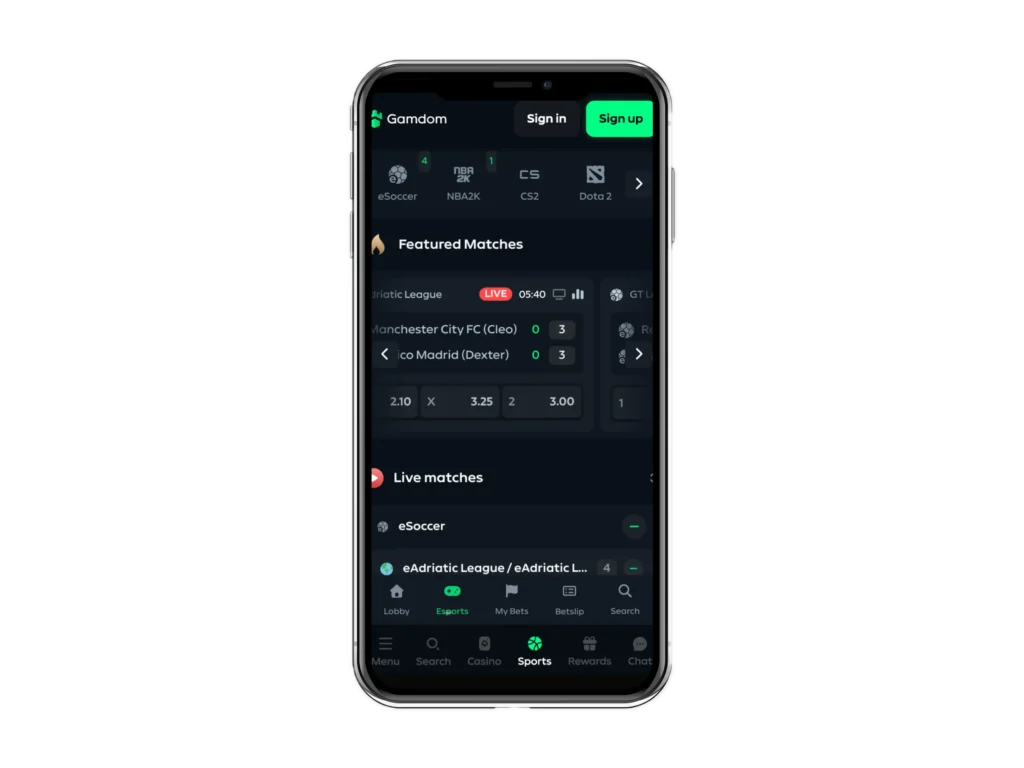
| Feature | PWA | Native Application |
|---|---|---|
| Installation | Requires specific browsers and must be downloaded from the official website | Downloaded from an official store |
| Storage Usage | Less storage needs | Uses more device storage |
| Updates | Real-time updates that align with those of the website | Requires updates from official app stores |
| Accessibility | There is an icon to click on the device, just like native software | Runs as dedicated installed software |
How to Download the Gamdom App
Since it is a progressive web version, the Gamdom mobile app needs Chrome and Safari for installation on Android and iOS, respectively. There is also a Windows version that can be installed on a personal computer.
Android PWA Installation
The progressive web Gamdom app on Android has a storage size of less than 1 Megabyte and can be installed in under 5 minutes. See how to download it:
- Open the Website: Launch the Chrome browser and enter the Gamdom official website.
- Click Add to Home Screen Menu: Tap the Chrome browser 3-dot icon at the top right of the screen and click the Install and add Shortcut icon from the list of menus that comes up.
- Install: Tap the Install App menu to download the PWA.
After installation, you can launch the PWA to start gambling.
Add APK to iOS Home Screen
The APK download process for iOS devices requires you to use the Share button when on the website. See how to download the Gamdom mobile PWA.
- Use Safari: Go to the Gamdom website using the Safari browser. Only the Safari browser can be used for the download. Chrome or Firefox won’t work.
- Navigate to the Add to Home Screen Menu: Click the Share Button and then the Add to Home Screen icon. You may rename the APK at this stage.
- Add PWA: Tap the Add icon to download and install the APK.
You can download the PWA on iOS 13+, with the storage size no more than 1 MB. Also, the device needs to be iOS 16.4+ for the Push Notifications feature to work.
Windows and macOS PWA Install on Desktop
If you use a Windows or macOS PC, then you can also install a desktop browser version of the Gamdom app using the Chrome browser. The Edge browser is a reliable alternative for those who use Windows-powered PCs.
Here is a quick step of how to download the PWA:
- Use the Chrome or Edge browser to open the official website.
- Tap the Screen with the Arrow icon positioned at the extreme right of the address bar.
- The action in step 2 will trigger an installation prompt. Tap on this icon to download the PWA.
- Launch the downloaded PWA to use it on your PC.
Note for Windows 11: You will need to turn off Smart App Control to download the PWA successfully. Open Windows Security → App & Browser control → Smart App Control → set the mode to Evaluation.
Note for macOS: If you cannot find the installation menu on the taskbar, then clear the Chrome Cache and reload the Gamdom website. macOS 10.15 (Catalina) or higher is required for PWA installation.
Gamdom Mobile App Features
Every offering available on the desktop website is also accessible with the PWA. That said, here are the features you get when gambling on the go with Gamdom app.
| Feature | Detail |
|---|---|
| Game Library | 8,370+ slots and games that include progressive jackpots and specialty designs. Partnering provides include Pragmatic, No Limit City and Play’n GO |
| Live Casino | 900+ live games comprising classic and multiplier roulette, baccarat, blackjack, poker and live shows |
| Payments | 11 cryptocurrencies such as BTC, LTC and USDT. There are also 23 Exchanges for fiat users who want to enjoy crypto gambling. Popular Exchanges include MetaMask, Bybit and Swapped |
| Security | SSL Encryption, Two-Factor Authentication (2FA) and KYC requirements |
| Responsible Gambling | Help links to professional firms and self-exclusion |
| Performance | Optimized for mobile and desktop with fast loading times |
| User Interface | User-friendly interface, fast loading time and search filter availability |
| Fair Play & Certification | RNG and PFA games tested and confirmed by iTech Labs |
Mobile Games on the PWA
You can spin over 7,000 slots, stream more than 900 live titles and place bets on table and specialty games for winnings. Some of the top providers to explore their games include Big Time Gaming, PGsoft, 1×2 Gaming and Red Tiger.
Top 5 Gamdom app games:
- Reactoonz Blitz Ways by Play’n GO
- Mega Roulette by Pragmatic Play Live
- Funky Time by Evolution
- Fist of Destruction by Hacksaw Gaming
- Thunderstruck 11 by Microgaming
PWA vs Browser
Both the Gamdom mobile PWA and browser website are great for on-the-go gambling. They do have areas where they stand out, as the table shows:
| Application | Browser Version |
|---|---|
| PWA added to home screen | No installation required |
| One click to launch | Need to open a browser and type out the web address |
| PWA updates automatically | Browser version always uses the latest website version |
For straightforward gambling and convenience, it is generally better to use the PWA because it is literally the web browser but with more personalisation + one-click access.
Mobile Security and Data Protection
The Gamdom website and PWA are protected with active SSL Encryption. Players can also activate the 2FA security system to reinforce their login security and protect their account better.
Gamdom app security options:
- SSL Encryption
- Two-Factor Authentication
- Strong Privacy Policy